
Oxygen Not Included Pipe Blocked for No Reason: Fixes
Oxygen Not Included pipe blocked for no reason? Fix water flow by checking bridge direction, full cooling loops, bathroom overflow, and shutoff automation.
Jump to
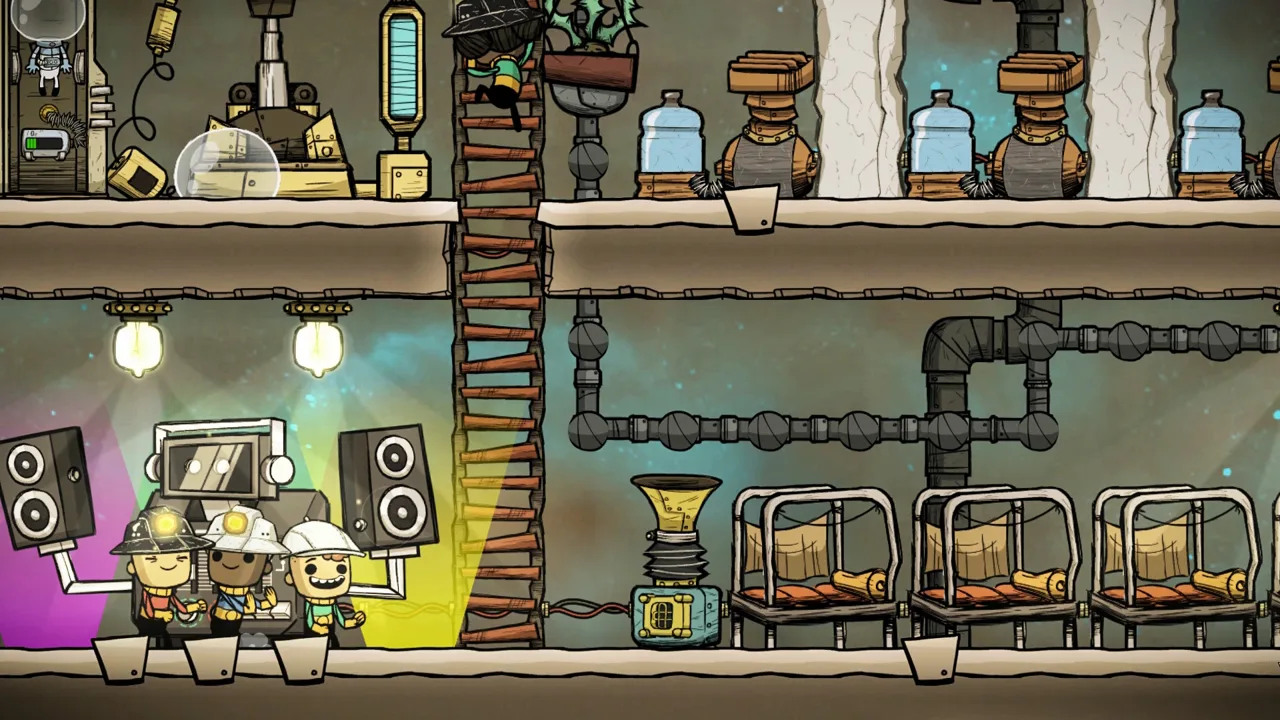
Why Is Your Pipe Blocked?
An Oxygen Not Included pipe blocked for no reason can be stalled by a full destination, reversed bridge, conflicting flow directions, or an overfilled loop. Follow the line from green output to white input and inspect the receiving building. A backup can leave bathrooms unusable or stop coolant from circulating.
The building displaying the warning isn’t necessarily where the problem starts. A pump cannot deliver another packet when its output has nowhere to go, even if the obstruction is farther down the network.
Use the plumbing overlay to narrow down the cause before rebuilding anything:
| What you see | What to check | What to change |
|---|---|---|
| Full pipes leading into a destination | Whether the receiving building or storage can accept more liquid | Restore consumption or provide an overflow route |
| Empty pipe beyond a bridge | Bridge orientation and endpoint connections | Connect the supply to white and the destination to green |
| Stalled packets around a junction | Whether connected inputs imply opposing flow directions | Separate the routes or add a bridge to establish direction |
| A cooling loop packed with stationary liquid | Whether the loop has been overfilled | Stop adding coolant and empty a few pipe segments |
| A bathroom loop that worked before backing up | Whether excess polluted water has an outlet | Add overflow while keeping bathroom supply prioritized |
| Water stopping at a control building | Power, automation, valve settings, and output capacity | Restore the condition preventing passage |
Official page: Oxygen Not Included (klei.com)
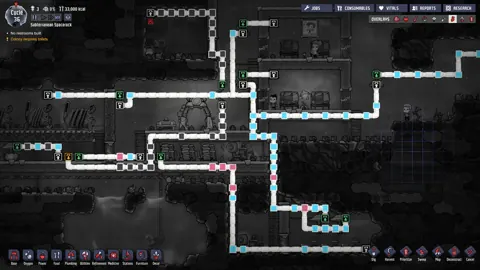
Use the Pipe Flow Overlay to Find the Blockage
The November 19, 2026 Quality of Life Update added clearer plumbing diagnostics across all versions. Open the Plumbing overlay and select Pipe Flow or Pipe Contents at the top right of the colony screen.
 Image: Steam / Klei Entertainment
These tools help distinguish a routing problem from damaged plumbing:
| November 19, 2026 plumbing change | What it helps you identify |
|---|---|
| Animated conduit visuals in the Pipe Flow and Pipe Contents sub-overlays | Flow direction and blockage locations |
| “Pipe Network Requires Building Intake” status | A network missing a building intake |
| Status explaining damage from contents changing state | Pipes damaged when their contents freeze or boil |
| Expanded Lavatory “Output Pipe Full” tooltip | Excess Polluted Water produced during each visit |
Follow the indicated flow through each junction. If a network requires a building intake, inspect its endpoints: a pipe run needs somewhere to deliver its contents.
Fix Flow Direction and Bridge Priority
Pipe flow runs from green outputs toward white inputs. Each pipe segment carries fluid in one direction, so a connection that introduces competing routes can stall an otherwise functional network.
 Image: Steam / Klei Entertainment
This often happens after adding another source to an existing line. The new connection gives packets a possible route toward an input on the opposite side of the junction.
Reconnect the source where it follows the established direction, or insert a bridge to make the intended route explicit. Check both bridge endpoints after construction: white receives liquid, and green delivers it.
Understand Which Route Gets Priority
Bridges also control who receives available capacity:
- At a bridge’s white input: Liquid enters the bridge before continuing along an overflow pipe, provided the bridge route can accept it.
- At a bridge’s green output: Liquid already traveling along the receiving pipe has priority. The bridge supplies available space.
That second behavior explains why a bridge can appear blocked while the main line keeps moving. If the receiving pipe is already full, the bridge has no room to insert its packet.
Use a bridge input to prioritize an essential destination, such as bathroom water supply. Use a bridge output to add backup water only when the main supply leaves room.
Check Repeated Branches for Starvation
Ordinary pipe splits distribute packets between available branches. Repeated splits can leave destinations farther along the network receiving much less liquid than earlier branches.
Watch whether water is stationary or simply arriving infrequently. For a deprived destination, rearrange the splits or give that route priority through a bridge input.
A liquid pipe carries up to 10 kilograms per second, and one liquid pump can supply that full rate. Adding another pump to the same saturated line won’t increase its capacity.
Restart an Overfilled Cooling Loop
A cooling loop needs a clear circulation direction and room for packets to advance. A closed pipe ring can circulate without continuous pumping when a bridge establishes the route.
 Image: Steam / Klei Entertainment
Overfilling can stop that circulation. If the loop worked until you added more coolant, check its fill level before changing the entire layout.
To clear it:
- Stop the external supply from adding more liquid.
- Confirm the bridge points in the intended circulation direction.
- Empty a few pipe segments using a Duplicant with the Plumbing skill and the pipe-emptying command.
- Let the simulation run and watch whether packets resume moving.
Deconstructing and rebuilding a few pipe segments is another way to clear their contents.
For future filling, bridge the supply onto the circulating line. Existing coolant receives priority at the merge, allowing the supply to fill available gaps rather than continually forcing more liquid into the circuit.
If the loop passes through a Thermo Aquatuner, also inspect the route available when cooling is disabled. The coolant still needs a valid path around the inactive cooling section.
Give Bathroom Loops Somewhere to Send Excess Water
A bathroom recycling loop can run successfully and then clog because Lavatories produce excess Polluted Water during use. Recycling that water does not remove the surplus from the system.
A loop running through bathrooms, a Water Sieve, and storage therefore needs an overflow destination. More storage provides temporary capacity; it does not consume the excess.
Arrange the clean-water return so that:
- The bathroom supply takes priority through a bridge input.
- Surplus water continues along the overflow route.
- The overflow reaches storage or another destination that can accept it.
Trace the complete circuit when troubleshooting. Full clean-water storage can prevent the Water Sieve from discharging, which backs up the polluted-water line and eventually blocks the Lavatories.
Also inspect the Water Sieve’s operating status. Correct pipe routing cannot compensate for a processing building that has stopped working.
Check Filters, Shutoffs, and Valve Settings
Control buildings create bottlenecks that can look like ordinary pipe failures.
For a standard filter, check both output routes. The selected material leaves through the orange port, while other materials leave through the green port. A backed-up destination can prevent the filter from passing the packet waiting inside it.
For shutoffs and valves, inspect:
- Power: A shutoff needs power to operate.
- Automation: Confirm the signal allows the shutoff to open.
- Flow limit: A valve set to zero prevents passage.
- Duplicant access: Changing a valve setting requires a switching task.
- Meter counter: A meter valve stops after dispensing its specified amount and needs an automation reset before dispensing again.
An element sensor connected to a shutoff behaves differently from a standard filter. If its selected branch backs up, packets can continue along the main line instead of waiting for that branch.
Keep the main route available, and avoid relying on this arrangement to hold selected liquid indefinitely when its storage fills.
Inspect Pipe Damage and Coolant Temperature
If the same section keeps failing, inspect the temperature of its contents. Freezing or boiling can damage pipes, and repairing the segment without changing those conditions leaves the cause in place.
Choose pipe types around the job:
- Use radiant pipes where coolant should exchange heat with its surroundings.
- Use insulated pipes along sections where unwanted heat exchange would disrupt the system.
- Use regular pipes where some heat exchange is acceptable.
For an Aquatuner loop, control when coolant enters the cooling section so it does not get chilled until it freezes. Check the liquid’s temperature before sending it through again.
There is also a packet-size exception: liquid packets of 1 kilogram or less, and gas packets of 100 grams or less, do not change state inside pipes. A liquid valve limiting a suitable line to 1 kilogram per second can use this behavior for heat transfer, but it reduces throughput from the pipe’s 10-kilogram-per-second maximum. Reserve that technique for builds designed around the lower flow rate.
Continue with
 Oxygen Not Included Polluted Water: Clean It and ReuseManage Oxygen Not Included polluted water with a Water Sieve, reuse bathroom wastewater, control polluted oxygen, and remove germs for safe colony use.
More in Water
Oxygen Not Included How to Store Water: Tank Guide
Oxygen Not Included how to store water: build liquid tanks, use 5-ton reservoirs, prevent pressure damage, and explore infinite storage before sealing up.
Oxygen Not Included Infinite Liquid Storage: 3 Builds
Build Oxygen Not Included infinite liquid storage with vent displacement, Escher waterfalls, or door compression. Learn how to contain pressure safely.
Join the community
Official channels for news, updates and player help: