
Oxygen Not Included Mods: Essential QoL Picks for 2026
Find Oxygen Not Included mods for clearer overlays, faster planning, and better colony control, plus what to reconsider after the November 2026 QoL update.
Jump to
Which Mods Should You Start With?
Start with Oxygen Not Included mods that make your colony easier to read: Better Info Cards, Bigger Camera Zoom Out, Better Automation Overlay, and Show Building Ranges. Add Sweep by Type for targeted hauling and a blueprint mod for repeat builds. After the November 2026 update, try the built-in Pipe Flow overlay before adding a separate one.
These tools address different problems, so build your collection around the tasks that keep interrupting you.
2026 Quality-of-Life Picks
| Mod | What it changes | Gameplay effect |
|---|---|---|
| Better Info Cards | Groups items in crowded hover cards | Makes debris piles easier to inspect |
| Bigger Camera Zoom Out | Extends camera zoom and panning | Shows more of your asteroid at once |
| Better Automation Overlay | Makes automation connections and settings easier to read | Helps trace signals and spot configuration mistakes |
| Show Building Ranges | Displays effective ranges for supported buildings | Helps position equipment before construction |
| Sweep by Type | Filters sweep orders by material type | Targets specific debris without ordering everything hauled |
| Blueprints Fixed or Blueprints Extended | Saves and places construction layouts | Reduces repeated design work; Duplicants still construct the build |
Start with information tools, then add construction and task controls when you have a specific use for them. Clearer overlays help explain the simulation while leaving oxygen production, heat management, and resource shortages for you to solve.
Official page: Oxygen Not Included (klei.com)
What the November 2026 Update Changes
The November 19, 2026 Quality of Life update added a native Pipe Flow sub-overlay to both Plumbing and Ventilation. It also changed the mod-loading system and moved the game to .NET Standard 2.1, making compatibility with this update more relevant than an older recommendation.
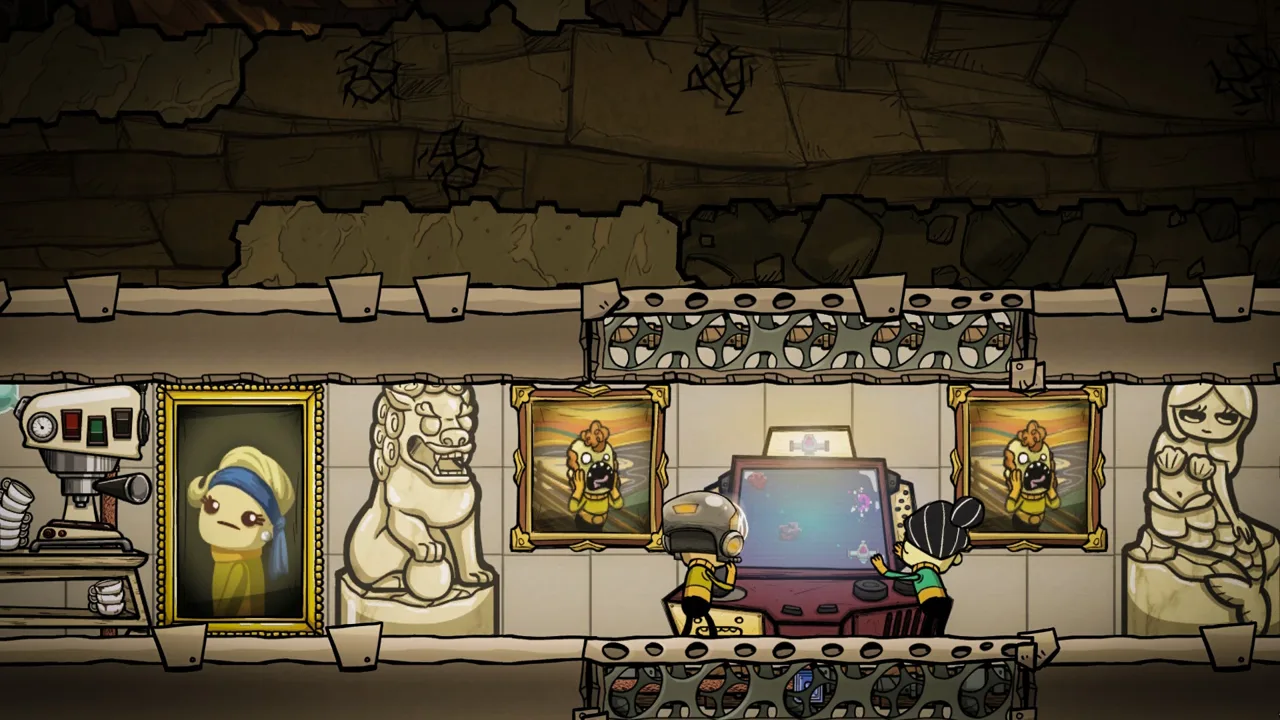 Image: Steam / Klei Entertainment
Try Native Pipe Flow Before Adding an Overlay
The Plumbing and Ventilation sub-overlays now animate flow direction and highlight blockage locations. New status messages also explain problems such as a network missing a building intake or a pipe breaking when its contents change state.
Open Pipe Contents or Pipe Flow from the relevant overlay and inspect the troubled network before adding another diagnostic mod. This directly addresses much of the reason players previously installed a separate pipe-flow visualization.
Cosmetic Blueprints and Construction Templates Have Different Jobs
The update added a Copy Blueprints control to Duplicant and building sidescreens. That feature concerns cosmetic blueprints.
Blueprints Fixed and Blueprints Extended copy construction layouts, such as an oxygen system or volcano tamer. Use those mods when you want to repeat a working design.
Material selection also now displays missing resources, including undiscovered ones, alongside research hints. Plan Buildings Without Materials has a separate purpose: placing construction plans using discovered materials that you currently lack in storage.
Make the Colony Easier to Read
 Image: Steam / Klei Entertainment
Better Info Cards
A single debris tile can contain enough materials to turn its hover card into a wall of text. Better Info Cards groups similar items and presents useful totals, including mass and average temperature.
Use it to inspect concentrated storage piles or busy tiles without searching through every individual entry. Grouped information is especially helpful when the question is simply how much material is sitting there.
Bigger Camera Zoom Out
Bigger Camera Zoom Out extends your view beyond the normal camera limit and allows additional panning near the map edge. It helps with reviewing a large colony, framing screenshots, and moving between distant projects.
Zoom out to locate your destination, then zoom back in around that point. On a busy asteroid, avoid combining the widest view with a demanding overlay: displaying the whole colony with temperature or gas information can reduce frame rate.
Show Building Ranges
Show Building Ranges displays effective coverage for supported buildings during placement or selection. Depending on the building, that includes equipment such as lights, pumps, scanners, and telescopes.
Check coverage before committing to a position. A visible footprint makes it easier to place equipment around the area it needs to serve and avoid rebuilding it afterward.
Gas Overlay
Gas Overlay gives different gases distinct colors and represents pressure through color intensity. That makes hydrogen pockets, carbon dioxide buildup, and sour gas easier to distinguish across a room.
Use it when you need to understand the actual gas distribution rather than simply whether an area is breathable. This is a room-atmosphere tool; the native Ventilation overlay serves a different purpose by examining gas inside pipes.
True Tiles
True Tiles changes tile appearances to reflect their construction materials. Colors and textures make material choices visible across the colony.
That visual distinction can also catch mistakes. Inspect newly constructed tiles and cancel remaining orders if their appearance reveals that you selected the wrong material. Continue choosing materials for their thermal properties where those matter.
Pip Plant Overlay
Pip Plant Overlay displays planting opportunities and explains why a location fails the planting rules. Nearby plants, tile hardness, and atmospheric conditions can interfere with a planned wild farm.
Use the overlay to find the restriction before rearranging the farm. For aquatic planting, keep the November update’s distinction in mind: Pips and Cuddle Pips cannot plant Starnacles or Pinpokets.
Plan Projects and Reuse Working Designs
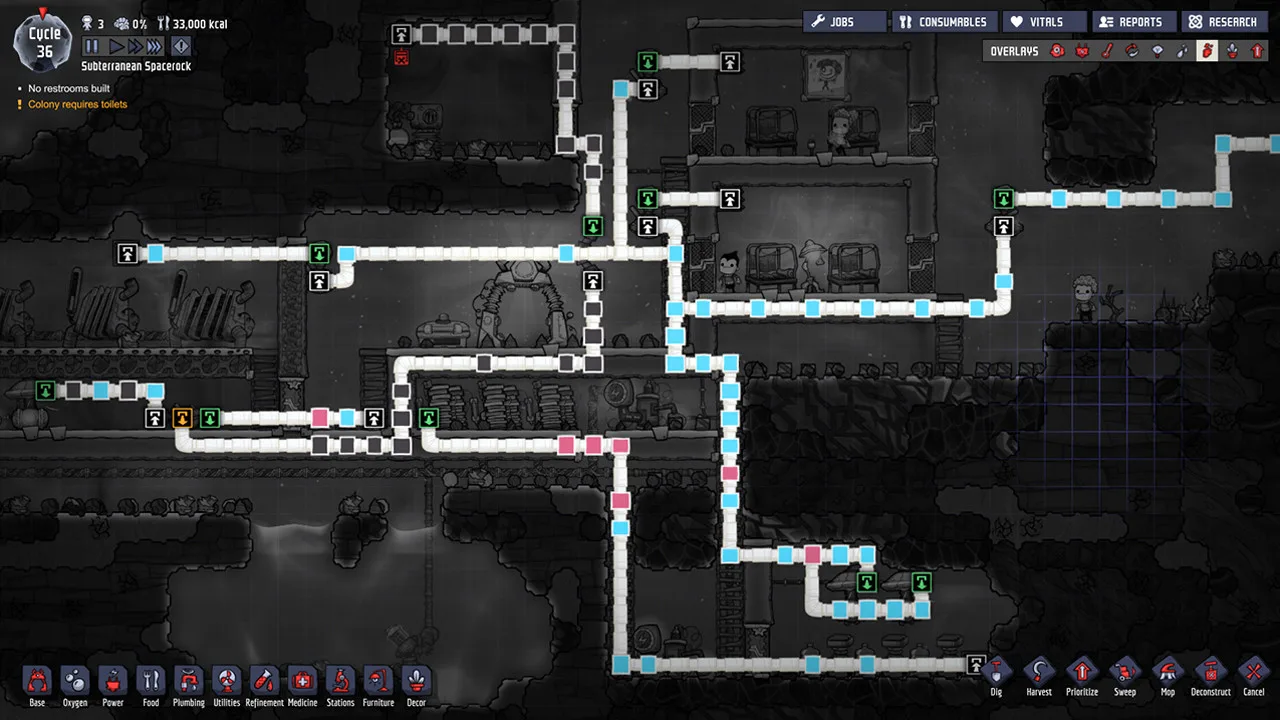 Image: Steam / Klei Entertainment
Blueprints Fixed and Blueprints Extended
Both blueprint options let you preserve layouts and place them again. Repeating an oxygen system, ranch, or industrial assembly becomes much faster when you can reuse its construction plan.
In normal play, placing a blueprint creates orders rather than providing a finished, free building. Materials and Duplicant labor still matter.
Large templates need construction planning of their own. Duplicants can finish sections in an order that seals off access or traps a builder. Divide complex designs into segments, or cancel selected sections after placing the template to preserve access during construction.
Choose one blueprint implementation that supports your game version rather than adding overlapping tools without a specific need.
Plan Buildings Without Materials
This mod lets you place construction ghosts using materials you have discovered, even when none are currently available in storage.
Lay out an industrial block while refining its metals, or reserve space for a future rocket platform before the supplies are ready. The plans still require the actual materials before construction can finish.
Planning Tool
Planning Tool paints colored markers around the asteroid. Those marks let you reserve space without committing to a particular building.
Mark future rooms, outline a large project, or highlight a buried geyser you intend to leave covered. A visible marker can remind you to stop before dragging a dig order through an area you wanted to preserve.
Research Queue
Research Queue lets you select a sequence of research tasks, including tasks across different branches.
Queue the technologies needed for a planned project together. This reduces repeated trips to the research screen while keeping the colony working toward the equipment you intend to use.
Control Hauling, Shipping, and Automation
Sweep by Type
Sweep by Type filters sweep orders so you can target specific materials within a selected area.
Select polluted dirt, slime, or metals when those are the items you need moved. Leave unrelated rock alone instead of generating a broad hauling job across an excavation.
Better Automation Overlay
Better Automation Overlay improves the readability of ports and wires while making information such as sensor settings, gate states, and smart battery values easier to inspect.
Trace the signal through a stalled system and check its thresholds before rebuilding the machinery. Seeing settings together makes an overlooked sensor configuration easier to catch.
Instant Toggle Switch
Instant Toggle Switch lets you assign a modifier key and click a signal switch to toggle it directly.
Use it for systems you control manually, where repeatedly opening the switch’s sidescreen adds unnecessary clicking.
No Manual Delivery
No Manual Delivery adds a control that prevents Duplicants from supplying supported buildings manually, leaving those deliveries to automation.
For a coal generator served by an Auto-Sweeper, disable manual delivery only after checking that the sweeper can reach both the generator and its coal supply. The setting removes Duplicant deliveries; it does not create an alternative supply route.
Conveyor Loaders Stop Loading With Disabled Signal
A disabled conveyor loader normally stops sending material along its rail but can still receive deliveries. This mod also stops loading when the automation signal disables it.
Use that behavior when the signal should prevent materials from entering the loader, rather than merely pausing their departure.
No Drop
No Drop prevents the ladder-related material drops that occur when Duplicants interrupt hauling to respond to another need.
Consider it when repeated interruptions leave supplies scattered down a shaft, especially while workers are moving through areas where they cannot breathe.
Efficient Supply
Efficient Supply favors larger deliveries instead of many small material trips.
Treat it as a change to delivery behavior. Larger loads alone do not settle whether a particular construction job will finish faster, especially when multiple Duplicants could otherwise contribute smaller deliveries.
Reduce Clicking and Keep Useful Warnings Visible
Settings Change Tool
Settings Change Tool applies supported building settings with a brush. Its options include enabling or disabling buildings and changing controls such as automatic repair or disinfection.
Paint only across the buildings you intend to change. A broad drag can affect other eligible equipment under the cursor.
Controlled Warnings and Warning Notification Manager
Controlled Warnings adds clearer audible and visual alerts for trapped Duplicants. Warning Notification Manager offers a more customizable approach to warning behavior.
Use the simpler alert tool if trapped workers are your main concern. Choose the customizable option when you want more control over notifications.
Suppress Notifications
Suppress Notifications hides selected building alerts, such as a research station with nothing selected or a Rock Crusher waiting for ingredients.
Suppress an alert only after deciding that the waiting state is intentional. An idle machine assigned an ongoing recipe is different from a machine whose missing supply needs attention.
No Long Commutes
No Long Commutes removes the long-commute message from the interface. It leaves travel time unchanged.
Use it to clear that notification when you already understand the colony’s travel situation. Continue addressing distant workplaces and hauling routes separately.
Choose Gameplay Changes Deliberately
Some convenient additions change construction possibilities or colony behavior beyond the interface.
Airlock Door
Airlock Door adds an alternative to liquid locks for separating atmospheres. It can simplify access to enclosed chambers without requiring the same liquid-lock layout.
The door still transfers heat, and passage is limited to one Duplicant at a time. Account for both properties when positioning it along a busy route or beside a temperature-sensitive area.
Build Natural Tile
Build Natural Tile lets you create natural tiles for projects such as Pip-planted farms.
Use it when arranging a wild farm is the part you want to simplify. It changes how you obtain the planting surface, while Pip planting still has its own placement restrictions.
Conveyor Tile
Conveyor Tile adds tiles that function as conveyor rails, expanding the construction options available for shipping systems.
Consider introducing it with a new asteroid if you want to design around that capability from the beginning.
DGSM
DGSM, the Duplicants Generation Settings Manager, provides controls for Duplicant generation, rerolls, and Printing Pod options.
Use its settings deliberately: controlling traits changes the randomness of colony recruitment. Its configurable restrictions can also support a more demanding setup.
Manage Updates After a Patch
Mod Manager and Mod Updater provide tools for managing installed mods and obtaining updates. Choose one management tool, then use it to identify releases available for your collection.
The November 2026 update also improved Workshop recovery. The game now detects corrupted local Workshop files and attempts to download them again; after repeated recovery failures, it disables the affected mod.
Keep file recovery separate from compatibility. Downloading a clean copy addresses damaged files, while a mod affected by changed game code needs an appropriate release.
For mod authors, the game now targets .NET Standard 2.1, and mods should target the same standard. Existing mods targeting .NET Framework should continue to work, so that framework change alone does not make every older mod obsolete.
If a broken mod prevents you from continuing after the update, the temporary Previous Update branch provides an unsupported fallback while you wait for compatibility work. Use it as a temporary way to keep playing with the older update.
Continue with
 Oxygen Not Included Multiplayer: Can You Play Co-Op?Oxygen Not Included multiplayer explained: learn whether co-op is supported, what Spaced Out! adds, and how to plan a colony challenge with your friends.
Continue exploring
Oxygen Not Included Pipe Blocked for No Reason: Fixes
Oxygen Not Included pipe blocked for no reason? Fix water flow by checking bridge direction, full cooling loops, bathroom overflow, and shutoff automation.
Oxygen Not Included How to Make a Cooling System That Works
Oxygen Not Included how to make a cooling system: build an Aquatuner loop, protect your crops, and control heat with a Steam Turbine and safe automation.
Join the community
Official channels for news, updates and player help: